
The World of Safari Extensions
Safari has quietly become one of the most capable browsers in the Apple ecosystem—not just because it’s fast and energy-efficient, but because it can be customized. That customization comes largely through Safari extensions: small add-ons that plug into the browser and unlock new features, smarter workflows, and cleaner browsing habits.
At a high level, a Safari extension is software that extends what Safari can do. Some focus on productivity (think tab management and streamlined navigation), others improve readability, reduce distractions, or help you organize research. For many people, the best extensions are the ones you stop noticing—because they quietly remove friction from everyday browsing.
The benefits are practical and immediate. Safari extensions can cut down on repetitive tasks, keep your browser tidy, and help you stay focused. They can also help solve “small” problems that become surprisingly expensive over time: like the chaos of too many open tabs, accidental duplicates, and that creeping feeling that your browser is working against you instead of with you.
Finding Safari extensions is straightforward. Many are distributed through Apple’s App Store, where you can browse listings, read reviews, and view developer-provided privacy details. You can also discover curated collections and recommendations on dedicated directories such as Safari extensions hubs, which make it easier to compare tools by category—especially if you’re searching for a specific need like “remove duplicate tabs” or “no duplicate tabs.”
Installing a Safari extension typically follows the same pattern: download it from the App Store, then enable it inside Safari’s settings. On macOS, you’ll usually find extension controls under Safari settings, where you can switch extensions on or off and manage permissions. On iOS and iPadOS, extensions are enabled through the system’s Safari settings. The exact wording varies by OS version, but the flow is designed to be simple: install, enable, and start browsing with your new features in place.
What is “Duplicate Tabs Remover for Safari”?
Duplicate Tabs Remover for Safari is a focused utility that does exactly what its name promises: it instantly clears duplicate tabs in Safari. In a world where modern browsing can easily spiral into dozens of open pages, it addresses a specific, familiar mess—multiple copies of the same tab scattered across your tab bar.
The core problem is more than aesthetics. Duplicate tabs make it harder to find what you actually need, slow down your ability to switch contexts, and can turn a clean browsing session into an unmanageable pile. If you’ve ever searched for a page you “know you already opened,” only to discover you opened it three times, you already understand the value of a tool designed to enforce “no duplicate tabs” as a habit.
Unlike broad tab managers that attempt to restructure your entire browsing approach, Duplicate Tabs Remover for Safari targets one high-impact fix: identify duplicates and help you remove duplicate tabs quickly. It’s the kind of Safari extension that earns its place by saving you time every day, in small increments that add up.
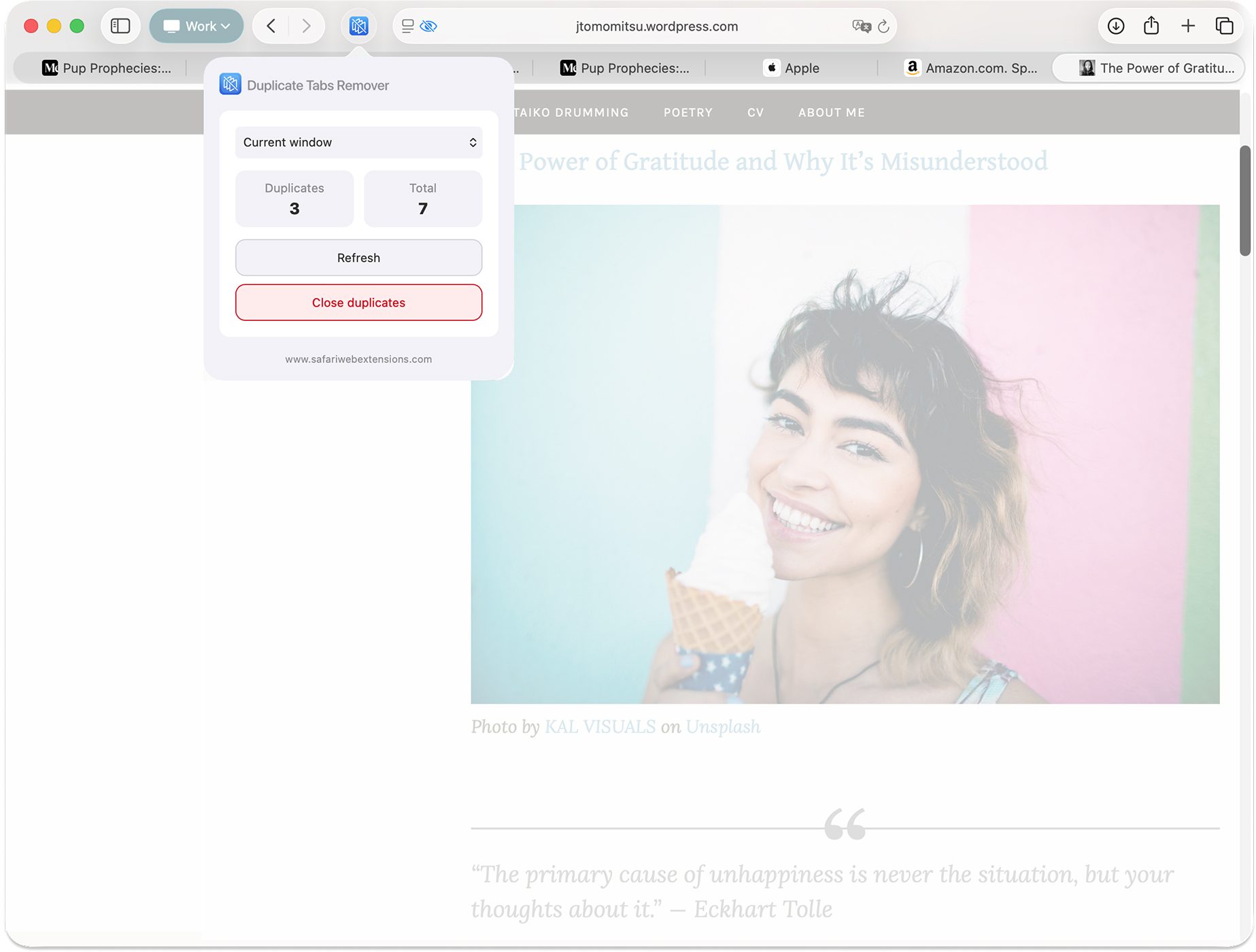
Why “Duplicate Tabs Remover for Safari” is a Must-Have for Safari Users
Tab overload doesn’t just clutter your screen—it clutters your thinking. Duplicate Tabs Remover for Safari is compelling because it removes one of the most common sources of tab chaos with minimal effort. When the browser becomes your workspace, “remove duplicate tabs” stops being a nice-to-have and becomes basic maintenance.
For productivity-minded users, the appeal is clear: fewer duplicates means faster scanning, quicker switching, and less time spent cleaning up after yourself. Instead of manually hunting down repeated pages—often with similar favicons and titles—you can rely on a single tool to help you enforce “no duplicate tabs” and keep your active session lean.
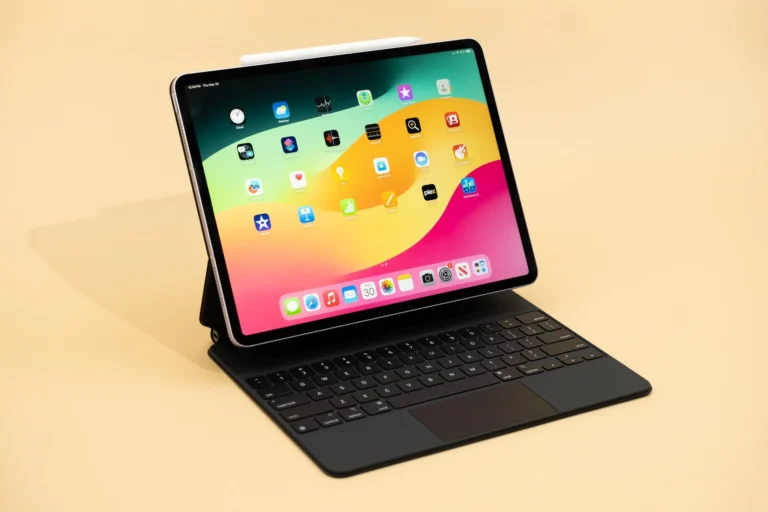
It also fits naturally into the Apple ecosystem. Built specifically for Safari on macOS, iOS, and iPadOS, Duplicate Tabs Remover for Safari aims for seamless integration rather than an overlay that feels bolted on. If you like tools that work “the Apple way”—clean, minimal, and task-focused—this Safari extension is designed to feel right at home.
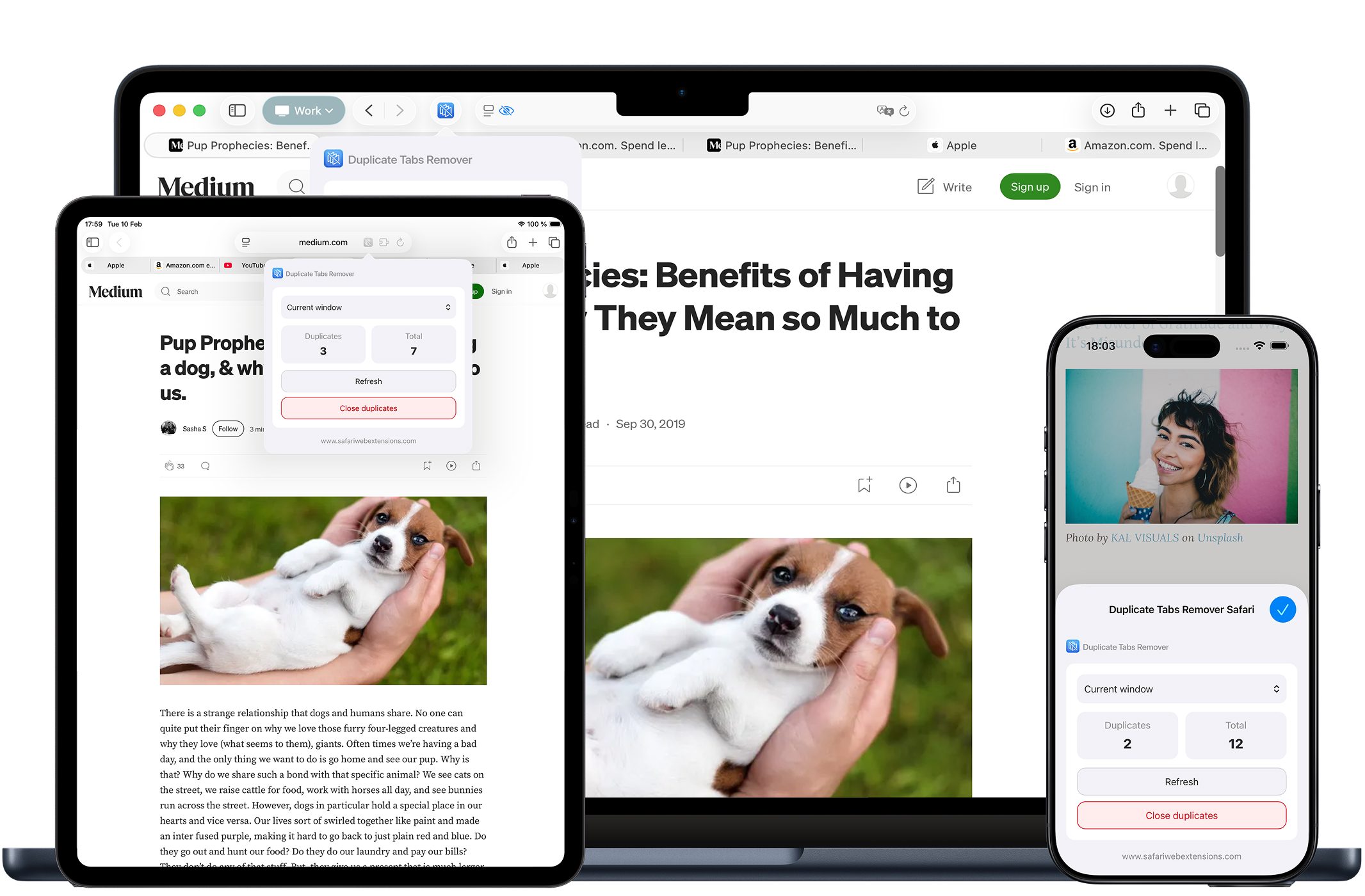
Top Features of “Duplicate Tabs Remover for Safari”
On paper, the feature set is refreshingly direct. In practice, each feature maps to a real-world pain point: understanding how bad the duplication is, removing it quickly, and doing it in a way that respects users who care about privacy and simplicity. Here’s what Duplicate Tabs Remover for Safari brings to the table.
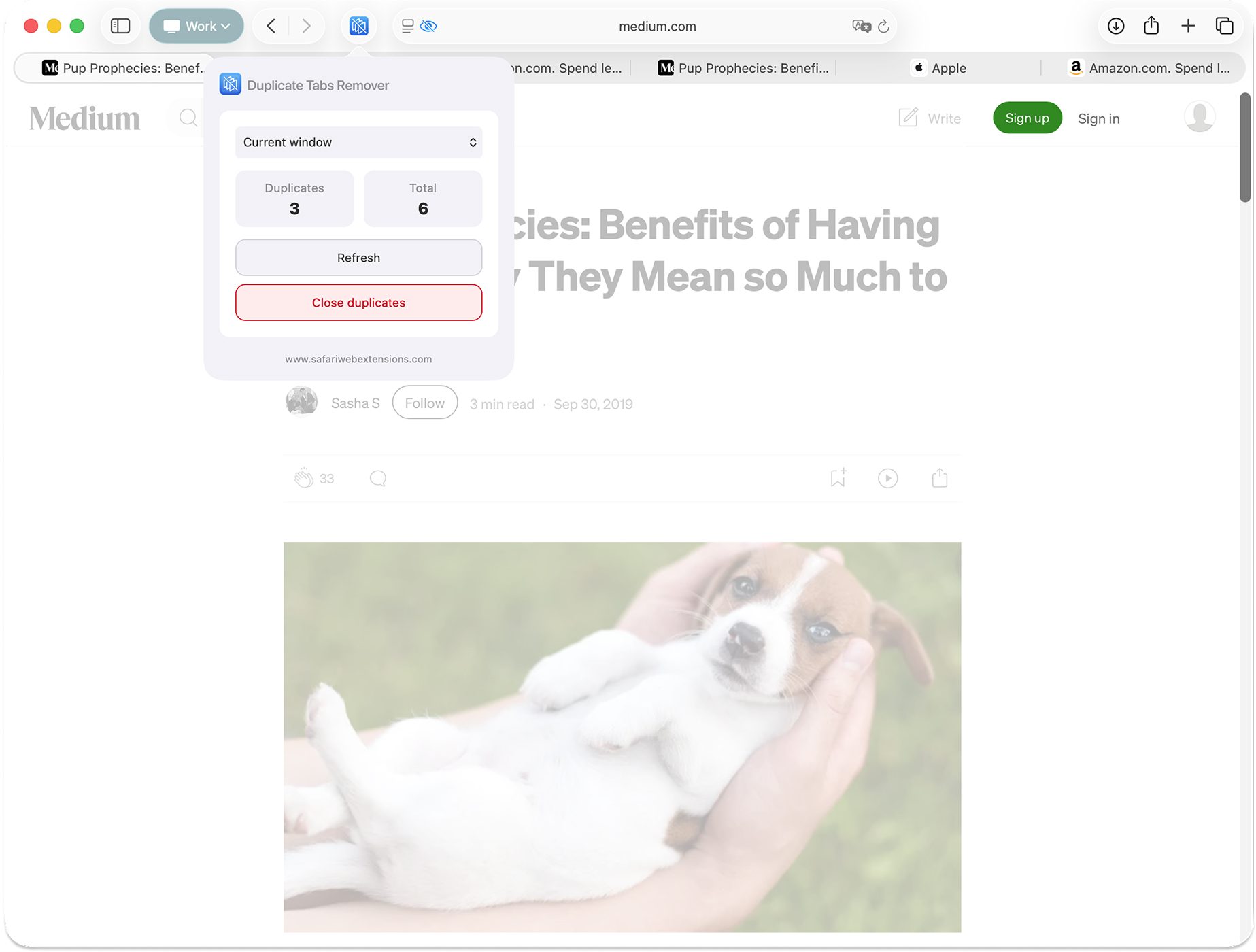
- Detect Duplicate Tabs: See how many duplicate tabs are open, making it easy to understand when your session has drifted into redundancy.
- Remove Duplicate Tabs: Close duplicate tabs with one click—exactly the kind of fast cleanup that makes “remove duplicate tabs” a routine instead of a chore.
- Privacy-first design: No tracking, no logging, no data collection. Your browsing stays private, which is especially important for a utility that touches your tab activity.
- Multilingual support: Available in multiple languages, making the experience accessible for users who prefer to manage their browser tools in their native language.
- Clean, user-friendly UI: A simple, sleek design that fits right into Safari, reducing the learning curve and keeping the focus on results.
- Seamless Safari integration: Built specifically for Safari on macOS, iOS, and iPadOS, supporting smooth operation across the devices where tab clutter often starts.
It’s worth underscoring how well this aligns with what many people actually want from Safari extensions: not a complex dashboard, but a single, reliable action that keeps your browser clean and your attention intact.
How to Install “Duplicate Tabs Remover for Safari”
Installing Duplicate Tabs Remover for Safari follows the standard path for a modern Safari extension, and you can do it in just a few minutes.
Step 1: Open the App Store on the device where you use Safari (Mac, iPhone, or iPad) and navigate to the listing for Duplicate Tabs Remover for Safari.
Step 2: Download and install the app. Many Safari add-ons are delivered as apps that include the extension component.
Step 3 (macOS): Open Safari, go to Safari settings, then find the Extensions section. Locate Duplicate Tabs Remover for Safari and enable it.
Step 3 (iOS/iPadOS): Open the Settings app, find Safari settings, then the Extensions area. Enable Duplicate Tabs Remover for Safari there.
Step 4: Review and confirm any permissions shown during setup. This is a good habit for all Safari extensions, even for straightforward utilities.
How to Use “Duplicate Tabs Remover for Safari” for Maximum Efficiency
Once enabled, Duplicate Tabs Remover for Safari is designed to stay out of your way until you need it. The best approach is to treat it as a quick “reset” button for tab hygiene—something you reach for when you suspect you’ve opened the same page multiple times across your session.
A practical workflow is to run a duplication check at natural breakpoints: after a research sprint, after a long email or messaging session where links were opened repeatedly, or right before you switch projects. If you’re aiming for “no duplicate tabs,” these short cleanups are more effective than a single, painful tab purge at the end of the week.
Real-world example: imagine you’re comparing products, reading reviews, and bouncing between a few key pages. It’s easy to open the same retailer listing or spec sheet multiple times—especially on iPhone and iPad, where tab management is more condensed. With Duplicate Tabs Remover for Safari, you can identify duplicates and remove duplicate tabs quickly, leaving one authoritative tab per page so you always know which one to return to.
How “Duplicate Tabs Remover for Safari” Boosts Productivity
Productivity gains from tab cleanup are easy to underestimate until you experience a truly tidy session. Duplicate tabs create micro-delays: scanning past repeated titles, second-guessing which tab has the information you want, reopening links because you can’t find the one you already opened, and losing focus as your browser becomes visually noisy.
Duplicate Tabs Remover for Safari boosts productivity by compressing that overhead into a single action. Instead of spending minutes manually closing repeats, you can remove duplicate tabs with one click. The result is a cleaner tab bar, quicker navigation, and a stronger sense of control over your browsing environment.
It also supports better workflows across devices. Because it’s built for Safari on macOS, iOS, and iPadOS, it fits into how people actually work today: a bit of research on a Mac, a few link opens on an iPhone, a deeper read on an iPad. Duplicates tend to accumulate as your attention hops between screens. A tool that helps maintain “no duplicate tabs” becomes a lightweight way to keep your browsing context consistent.
Who Can Benefit from “Duplicate Tabs Remover for Safari”?
Duplicate Tabs Remover for Safari is broadly useful, but it’s especially well-suited to people who live in their browser and regularly juggle multiple threads of information.
It’s a smart pick for students and researchers who keep many sources open at once, and for knowledge workers who hop between documentation, dashboards, and tickets all day. It also makes sense for shoppers and deal-hunters who open repeated product pages while comparing options. And if you’re simply someone who likes a clean browser—with “no duplicate tabs” as a baseline—it’s an easy win among practical Safari extensions.
Even casual users can benefit. Duplicate tabs often appear in everyday browsing: opening the same news story from multiple apps, re-tapping a link because it didn’t load instantly, or revisiting a page later and forgetting it’s already open. Having a one-click way to remove duplicate tabs turns an occasional annoyance into a solved problem.
Security and Privacy of “Duplicate Tabs Remover for Safari”
Browser add-ons deserve scrutiny because they sit close to your browsing activity. The good news is that Duplicate Tabs Remover for Safari explicitly positions itself as privacy-first, stating: no tracking, no logging, and no data collection—along with the promise that your browsing stays private.
Still, it’s wise to do what you should do for any Safari extension: review the App Store listing’s privacy information and confirm you’re comfortable with the permissions requested. If you’re evaluating multiple Safari extensions for tab management, privacy transparency should be part of your decision—especially for tools that interact with tabs, pages, or browsing behavior.
Where to Download “Duplicate Tabs Remover for Safari”
You can download Duplicate Tabs Remover for Safari directly from the App Store at its official listing. If your goal is to remove duplicate tabs and maintain “no duplicate tabs” across your daily browsing, it’s one of the more straightforward, purpose-built options you’ll find in the current Safari extensions landscape.
Once installed, take a moment to enable it in Safari’s extension settings and run it during your next tab-heavy session. The value is easiest to appreciate when your tab bar is already crowded—and the cleanup is immediate.
Conclusion: Simplify Your Workflow with “Duplicate Tabs Remover for Safari”
Safari extensions are at their best when they make your browser feel calmer, faster, and more intentional. Duplicate Tabs Remover for Safari fits that ideal with a crisp mission: detect duplicates, remove duplicate tabs with one click, and keep your browsing private with a privacy-first design.
If you’ve been chasing a “no duplicate tabs” workflow—whether for research, work, shopping, or just peace of mind—this Safari extension is an easy addition that pays off quickly. Download Duplicate Tabs Remover for Safari, enable it, and give your tab bar a clean slate.